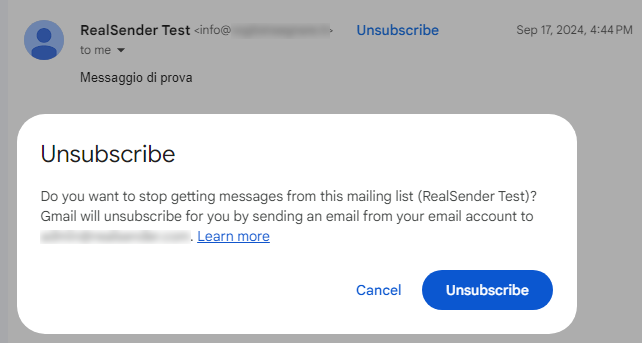
bouncehandler 应用

反复向错误或已停用的收件人发送邮件会被视为“垃圾邮件行为”。
近年来,越来越多的SMTP服务器因此被列入黑名单。
最明显的错误发生在“Mail-From”/“Return-Path”地址对应的邮箱(
)——即接收退信的邮箱——已满或不存在时。
如果发送数千封邮件,其中20%被退回,即使是容量很大的收件箱,几分钟内也会被填满。
收到所有退信却不阅读它们,这或许算是一个小缺陷。
你一直在向那些会退信的地址发送邮件,附带的错误详情根本没人关心。
无论哪种情况,结果都是该 SMTP 服务器被列入黑名单。这样一来,
不仅无法将邮件投递给无效收件人,就连有效收件人也会将其视为垃圾邮件。
为了解决第一个问题,我们很早就推出了“新闻通讯邮箱”服务。
分析退信则较为困难,需要一款性能卓越的工具。
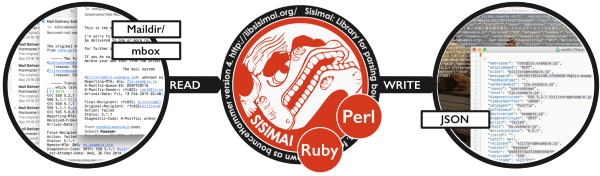
我们选择了“Sisimai:邮件分析界面”,该工具前身为 bounceHammer 4:一款退信邮件分析工具。
这是一款开源软件,能够解析 RFC5322 格式的退信邮件,并生成结构化的 JSON 数据。
若想了解Sisimai能够解析的所有可能的错误代码,请查阅《SMTP字段手册》(
),
该文档汇集了各大电子邮件服务提供商返回的原始SMTP错误代码响应。
自动黑名单
在 RealSender 中实现退信处理程序非常简单。
“bouncehandler” 应用程序开始检查被退回的消息。
两个黑名单被激活:
-
硬退信黑名单
包含所有引发永久性错误的电子邮件地址,
例如“用户不存在”或“主机不可达”
每周硬退信日志可通过以下网址查看:
https://…hardbounces.email.weekly -
软退信黑名单
包含所有曾产生三次或更多次临时错误的电子邮件地址,
例如邮箱已满,且每次错误间隔至少一周
每周软退信日志可通过以下网址查看:
https://…softbounces.email.weekly
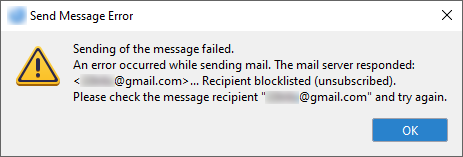
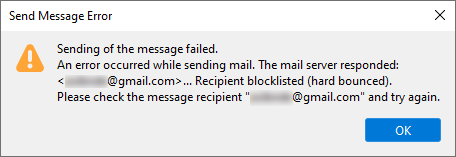
向被列入黑名单的收件人发送消息会引发如下错误:
独立管理您的区块
我们为您提供以下文件:
这些文件以网页地址形式提供,并通过密码或IP地址进行保护:
https://…bounces.json
the details of the bounces received in the last seven days, in JSON format, such as:
  {
    "feedbacktype": "",
    "addresser": "info@circuitocinemascuole.com",
    "diagnostictype": "SMTP",
    "timezoneoffset": "+0200",
    "lhost": "linp.arubabusiness.it",
    "destination": "gmail.com",
    "timestamp": 1635536166,
    "senderdomain": "circuitocinemascuole.com",
    "deliverystatus": "5.1.1",
    "token": "daad8f8fc89cef70e1406a9d2b38be6c35326e03",
    "recipient": "...@gmail.com",
    "subject": "Prenotazioni aperte_Giornata Internazionale dei Diritti dell'Infanzia e dell'Adolescenza_Film FIGLI DEL SOLE",
    "origin": "/home/rs109-bounce/Maildir/new/1635528969.21113_0.rsbox.realsender.com",
    "rhost": "gmail-smtp-in.l.google.com",
    "reason": "userunknown",
    "diagnosticcode": "550-5.1.1 The email account that you tried to reach does not exist. Please try double-checking the recipient's email address for typos or unnecessary spaces. Learn more at https://support.google.com/mail/?p=NoSuchUser z3si7494964ybg.507 - gsmtp 503 5.5.1 RCPT first. z3si7494964ybg.507 - gsmtp",
    "messageid": "McuPi4DjtlyhvlSMVNB4wTXsUKQeIy6XwlKoAZuJ4@www.circuitocinemascuole.com",
    "listid": "",
    "action": "failed",
    "softbounce": 0,
    "replycode": "550",
    "catch": null,
    "alias": "",
    "smtpagent": "Sendmail",
    "smtpcommand": "DATA"
},https://…hardbounces.json
the details of the hard bounces 1 received in the last seven days, in JSON format
https://…hardbounces.email
the list of email addresses that generated a hard bounce 1 in the last seven days
1= 筛选条件:softbounce == 0
https://…softbounces.json
the details of the soft bounces 2 received in the last seven days, in JSON format
https://…softbounces.email
the list of email addresses that generated a soft bounce 2 in the last seven days
2= 筛选条件:softbounce == 1
这些就是自动黑名单所使用的文件:
https://…hardbouncesfull.email
the list of all email addresses that generated two or more hard bounces
at least one week away from each other
https://…softbouncesfull.email
the list of all email addresses that generated three or more soft bounces
at least one week away from each other